
Download Textalky – AI‑Powered Text to Speech & Transcription Tool
Overview
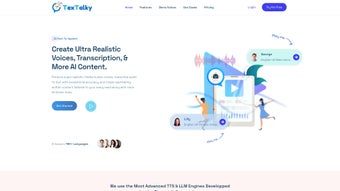
Textalky is a cloud‑based AI voice generator that transforms written text into natural‑sounding human speech. Designed for creators, educators, marketers, and businesses, the platform offers a library of lifelike voices spanning dozens of languages and dialects. Whether you need a polished narration for an audiobook, a crisp voice‑over for a promotional video, or an accessible audio version of a blog post, Textalky delivers high‑quality output in seconds.
In addition to its core text‑to‑speech engine, Textalky includes an advanced transcription module that accurately converts spoken audio back into editable text, making it a two‑in‑one solution for audio production workflows. The subscription model provides unlimited access to premium voices, regular updates, and priority support, while a free tier lets users test the service with limited daily conversions. The interface is intentionally minimalist: a clean text editor, voice selector, and a set of sliders for speed, pitch, and emphasis.
Users can preview results instantly, download MP3 or WAV files, or integrate the service via API into existing apps and e‑learning platforms. By combining realistic voice synthesis with reliable transcription, Textalky helps improve accessibility, boost engagement, and streamline content creation without the need for costly studio time or professional voice actors.
Core Features & Benefits
- Extensive Voice Library: Over 150 high‑quality voices covering 30+ languages, including regional accents and gender options.
- Real‑Time Preview & Editing: Instantly hear how your text sounds and adjust speed, pitch, and volume on the fly.
- High‑Accuracy Transcription: AI‑driven speech‑to‑text engine with up to 96 % accuracy for clear recordings.
- API Integration: RESTful API with detailed documentation for seamless embedding into websites, LMS, or mobile apps.
- Batch Processing: Upload CSV or TXT files to generate multiple audio files in one operation.
- Secure Cloud Storage: Encrypted storage for generated audio, with options to set expiration dates or private links.
- Collaboration Tools: Team workspaces, shared folders, and role‑based permissions for larger organizations.
- Regular Voice Updates: New voices and language packs added monthly, ensuring the platform stays current.
The feature set translates into tangible benefits for everyday users. Content creators can cut production time by up to 80 % compared to traditional recording methods. Educators gain the ability to produce accessible learning materials for visually impaired students with a single click.
Marketers can quickly generate localized ad copy in multiple languages without hiring separate voice talent. Moreover, the transcription function streamlines note‑taking for meetings and webinars, reducing manual effort and minimizing errors. Because everything runs in the browser, there is no heavy software installation, and the cloud infrastructure guarantees uptime and scalability.
In practice, users report smoother workflows, higher audience retention, and measurable SEO improvements when audio versions of articles are added to their sites. The combination of a versatile voice engine, robust transcription, and developer‑friendly API makes Textalky a comprehensive audio solution that fits both small‑scale projects and enterprise‑level deployments.
Getting Started – Installation & Usage
Account Creation and Subscription
To begin, visit the Textalky homepage and click “Sign Up.” The registration process requires an email address and a password. After confirming the email, you can choose between a free tier (limited to 5 minutes of conversion per day) or one of the paid subscription plans—Starter, Professional, or Enterprise. Each plan differs in voice access, monthly conversion limits, and API call quotas. Payment is handled securely through Stripe or PayPal, and you can cancel or upgrade at any time from the dashboard.
Web‑Based Interface – No Installation Required
Because Textalky is fully web‑based, there is no need to download or install software on your device. Simply log in, and you’ll be presented with a clean editor. Paste or type your text into the main box, select a voice from the dropdown menu, and adjust the optional sliders for speed (0.5x‑2x), pitch (+‑5 semitones), and emphasis. The “Preview” button streams the generated audio instantly, allowing you to make fine‑tuned changes before committing to a download.
Downloading and Export Options
Once satisfied, click “Generate.” The platform processes the request on its secure servers and provides a download link for MP3, WAV, or OGG formats. You can also choose to save the file directly to your cloud storage (Google Drive, Dropbox) via the integrated connectors. For developers, the API endpoint returns a URL to the generated audio, which can be embedded in applications or automated pipelines.
Transcription Workflow
To transcribe audio, navigate to the “Transcribe” tab, upload an audio file (max 2 GB for paid plans), and select the source language. Textalky’s AI engine analyses the waveform, timestamps the speech, and outputs a formatted text file with speaker diarization when multiple voices are detected. The result can be exported as plain text, SRT subtitles, or a Word document, making it ideal for captioning videos or creating meeting minutes.
Overall, the onboarding experience is straightforward: sign up, pick a plan, and start generating or transcribing audio without any local installations. The responsive design works on desktop browsers as well as mobile Safari and Chrome, ensuring you can create content on the go.
Compatibility, Pros & Cons
Textalky runs on any modern operating system with a web browser that supports HTML5 and WebGL. This includes Windows 10/11, macOS Catalina and later, Linux distributions (Ubuntu, Fedora), as well as mobile platforms such as Android 8.0+ and iOS 13+. Because the service is cloud‑hosted, performance is independent of local hardware, making it accessible on low‑spec devices, tablets, and even Chromebooks.
Pros
- High‑quality, natural‑sounding voices that rival professional talent.
- Wide language coverage with regional accents, ideal for global audiences.
- Instant preview reduces trial‑and‑error time.
- Powerful transcription with speaker detection and multiple export formats.
- API access enables automation and integration with existing workflows.
- Secure, GDPR‑compliant cloud storage for generated audio.
- Regular updates and new voice releases keep the platform fresh.
Cons
- Dependence on an internet connection; offline use is not possible.
- Free tier limits may be restrictive for heavy users.
- Advanced features (batch processing, custom voice tuning) are only available on higher‑price plans.
- Some niche languages have fewer voice options compared to major languages.
Overall Rating: 4.5/5 – Textalky delivers a robust combination of text‑to‑speech and transcription capabilities that suit both individual creators and enterprises. The intuitive UI, extensive voice catalog, and reliable API make it a standout in the crowded AI voice market.
FAQ & Conclusion
Can I use Textalky for commercial projects?
Yes. All paid subscription plans include a commercial usage license, allowing you to embed generated audio in marketing materials, podcasts, e‑learning courses, and more without additional fees.
What file formats are supported for download?
Textalky offers MP3, WAV, and OGG formats for voice output. Transcription results can be exported as plain text, Microsoft Word, or SRT subtitle files.
Is there an API, and how is it priced?
Yes, Textalky provides a RESTful API with token‑based authentication. API usage is bundled into the subscription tiers; higher tiers include more monthly API calls and higher rate limits.
How accurate is the transcription feature?
In clean audio conditions, transcription accuracy reaches 96 %. Background noise or overlapping speech can lower accuracy, but the platform includes noise‑reduction tools to improve results.
Can I try Textalky before committing to a subscription?
Absolutely. The free tier allows up to 5 minutes of conversion per day, giving you a hands‑on feel for voice quality and the UI before upgrading.
In summary, Textalky stands out as a versatile, AI‑driven solution that bridges the gap between text and audio while also offering reliable transcription. Its extensive voice library, intuitive web interface, and robust API make it suitable for a wide range of applications—from solo podcasters to large corporate training departments. While an internet connection is required and the free plan has modest limits, the value delivered by the paid subscriptions justifies the cost for anyone serious about enhancing accessibility and engagement through high‑quality audio. Ready to give your content a professional voice? Start your free trial today and experience the future of text‑to‑speech.



.png)



